Your home office doesn’t need to look expensive-it needs to stop costing you focus.
A productive workspace is built from smart choices, not luxury furniture or trendy desk accessories. With the right setup, even a small corner can help you work faster, sit better, and stay mentally switched on.
The key is knowing where to spend, where to save, and what to ignore completely. This guide shows you how to build a budget-friendly home office that supports real work without draining your wallet.
What Makes a Budget Home Office Productive: Essentials Before You Buy
A productive budget home office is not about buying the cheapest desk or the most attractive chair. It is about spending first on the items that protect your focus, posture, internet reliability, and daily workflow. Before comparing prices, think about what slows you down most: back pain, poor lighting, noisy calls, slow Wi-Fi, or a cluttered workspace.
In real work-from-home setups, the biggest productivity gains often come from simple upgrades. For example, a freelancer using Zoom daily may benefit more from a good USB microphone and stable broadband plan than from an expensive executive desk. A remote employee working with spreadsheets may get better value from a second monitor than from premium office décor.
- Ergonomics first: choose an adjustable chair, correct desk height, and a laptop stand to reduce neck and wrist strain.
- Reliable tech: prioritize a fast internet connection, webcam, noise-canceling headset, and surge protector for essential devices.
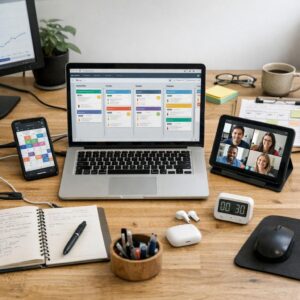
- Workflow tools: use affordable productivity software like Google Workspace, Trello, or Notion to organize tasks and files.
Lighting also matters more than many people expect. A low-cost LED desk lamp placed beside your monitor can reduce eye strain during long sessions and improve video call quality without buying studio equipment. If space is limited, choose foldable furniture, cable organizers, and vertical storage so your home office setup stays clean and easy to use every day.
The best approach is to match purchases to your job, not to social media trends. Spend where the benefit is daily, measurable, and tied to comfort, communication, or output.
How to Set Up an Ergonomic Home Office Using Affordable Furniture and Gear
Start with the chair, because it affects your back, hips, and focus more than most people expect. You do not need a premium ergonomic office chair, but you do need adjustable height, basic lumbar support, and a seat that lets your feet rest flat on the floor. If your current chair is decent, a $20-$40 lumbar cushion and a simple footrest can be a smarter upgrade than buying new furniture.
Your desk height should keep your elbows close to a 90-degree angle while typing. If the desk is too high, raise your chair and add a footrest; if it is too low, use furniture risers instead of replacing the desk. For renters or small apartments, an adjustable standing desk converter from Amazon Basics or a budget monitor stand can improve posture without a full office renovation.
- Place your monitor at eye level, about an arm’s length away, to reduce neck strain.
- Use an external keyboard and mouse if you work on a laptop for long hours.
- Add a desk lamp with adjustable brightness to reduce eye fatigue during video calls and evening work.
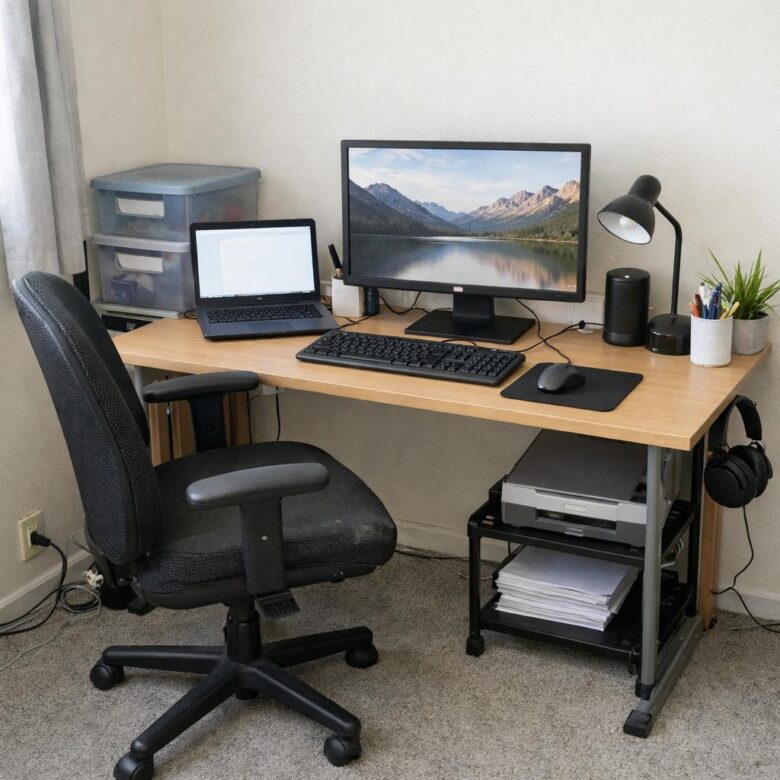
A real-world setup I often see work well is a secondhand IKEA desk, a used office chair from Facebook Marketplace, a monitor arm, and a separate keyboard. It looks simple, but it solves the biggest ergonomic problems: screen height, wrist position, and lower-back support. Spend where your body feels the most strain, not where the setup looks the most expensive.
Common Budget Home Office Mistakes That Hurt Focus, Comfort, and Workflow
One of the biggest budget home office mistakes is buying the cheapest desk and chair without checking ergonomics. A low-cost chair can still work, but it should support your lower back and let your feet sit flat; otherwise, you may end up paying more later for cushions, footrests, or even a replacement ergonomic office chair.
Another mistake is ignoring lighting and background noise. Working under harsh overhead light or beside a noisy kitchen makes video conferencing harder and drains focus faster than most people expect. A simple desk lamp, natural light, and budget noise-canceling headphones can improve daily comfort more than another decorative item.
- Skipping cable management: messy cords slow down cleaning, create distractions, and make a small workspace feel chaotic.
- Using only a laptop screen: an affordable external monitor or monitor arm can reduce neck strain and improve multitasking.
- Forgetting workflow tools: apps like Trello or Google Drive help organize tasks, files, and client work without expensive software.
A real-world example: many remote workers spend money on a stylish desk first, then realize their Wi-Fi drops during Zoom calls. In that case, a reliable router, internet upgrade, or Ethernet cable is a better investment than furniture. Budget does not mean buying the cheapest item; it means spending first on the devices, tools, and services that protect your focus and daily productivity.
Expert Verdict on How to Build a Productive Home Office Setup on a Budget
Building a productive home office on a budget is less about buying more and more about choosing deliberately. Start with the upgrades that remove daily friction: a supportive chair, a reliable work surface, decent lighting, and fewer distractions.
- Spend where comfort affects focus.
- Save on décor and non-essential accessories.
- Upgrade gradually based on real work habits.
The best setup is not the most expensive one-it is the one that helps you work consistently, comfortably, and without unnecessary clutter.

Dr. Adrian Whitmore is an AI productivity specialist focused on helping professionals use artificial intelligence to work faster, organize tasks, and improve digital workflows. Through Asahi AI Works, he shares practical insights on AI tools, automation, smarter planning, and modern productivity strategies.