
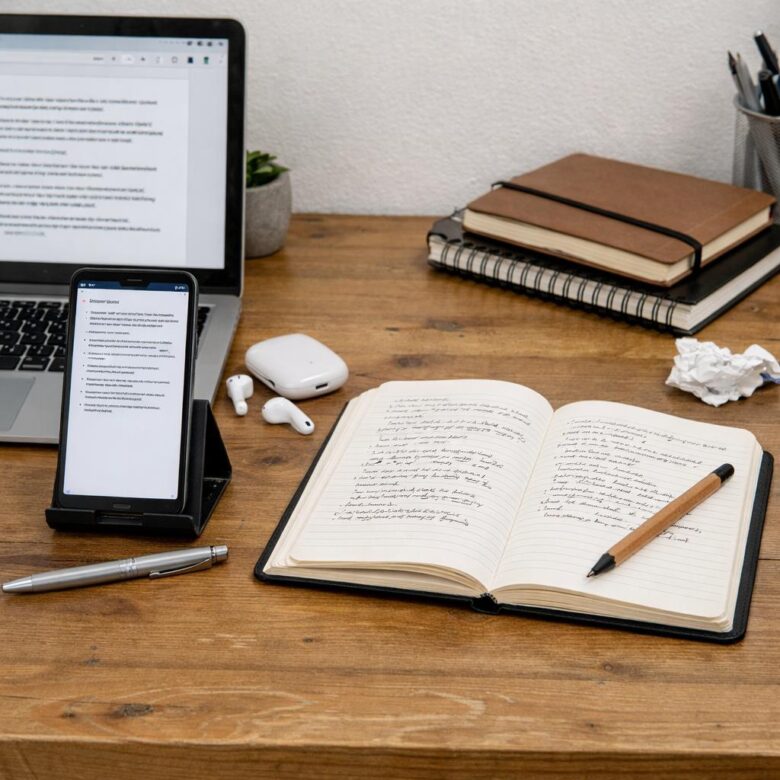
Are your notes helping you think-or just giving you more to organize?
Traditional note-taking has long been the default for meetings, lectures, research, and personal planning. But AI note-taking apps are changing the rules by recording, summarizing, tagging, and even extracting action items automatically.
The real question isn’t whether AI is “smarter” than handwritten or typed notes. It’s whether speed, accuracy, privacy, creativity, and long-term retention matter more in your workflow.
In this comparison, we’ll break down where AI note-taking apps outperform traditional notes, where old-school methods still win, and how to choose the better option for your needs.
What AI Note-Taking Apps Do Differently Than Traditional Notes
AI note-taking apps do more than store what you type. They capture, organize, summarize, and search information in ways that traditional paper notes or basic digital notes cannot. Instead of writing every detail during a meeting, class, or client call, tools like Otter.ai, Notion AI, and Microsoft OneNote can turn spoken conversations into searchable transcripts and quick summaries.
The biggest difference is automation. Traditional notes depend entirely on your attention and structure, while AI note-taking software can identify action items, highlight key decisions, and group related ideas. For example, after a sales consultation, an AI meeting assistant can create a summary with follow-up tasks, pricing questions, and customer concerns, which saves time for freelancers, consultants, and remote teams.
- Searchable memory: Find a quote, task, or topic from weeks ago without scanning pages manually.
- Smart summaries: Turn long lectures, Zoom meetings, or interviews into short, usable notes.
- Workflow integration: Connect notes with project management tools, calendars, CRM software, and cloud storage services.
In real use, the benefit is not just convenience; it is reduced mental load. I have seen teams miss fewer follow-ups when meeting notes automatically sync with task management platforms instead of sitting in someone’s notebook. That said, AI notes still need review, especially for technical, legal, medical, or financial topics where accuracy matters and privacy settings should be checked carefully.
How to Compare AI Notes and Manual Notes for Meetings, Classes, and Research
The best way to compare AI notes and manual notes is to judge them by accuracy, speed, context, and cost-not just convenience. AI note-taking apps like Otter.ai, Microsoft Teams transcription, or Notion AI are useful when you need searchable transcripts, meeting summaries, action items, and cloud storage. Manual notes work better when the goal is deeper understanding, selective thinking, or sensitive information that should not be uploaded to a third-party service.
For work meetings, AI transcription software can save time by capturing client calls, project updates, and decisions while you focus on the conversation. For example, in a sales meeting, an AI meeting assistant can record objections, next steps, and pricing questions, then sync them with a CRM or productivity tool. Still, someone should review the summary because names, deadlines, and technical terms can be misheard.
- Meetings: Use AI notes for transcripts, follow-ups, and team accountability; use manual notes for confidential strategy or negotiation details.
- Classes: Use AI notes for lecture capture and revision; use handwritten or typed notes to process concepts, formulas, and exam priorities.
- Research: Use AI summaries to organize interviews or sources; use manual notes for interpretation, citations, and original analysis.
A practical test is to run both methods for one week. Compare how often you return to the notes, how easy they are to search, whether key details are missing, and whether the subscription cost is justified. In real use, a hybrid workflow often wins: let AI handle capture, then refine the important points manually for better retention, privacy, and decision-making.
Common Mistakes to Avoid When Replacing Traditional Notes With AI Note-Taking Tools
One common mistake is switching completely without testing how the AI note-taking app fits your workflow. For example, a sales manager using Otter.ai for client calls may get excellent transcripts, but still need manual notes for pricing objections, follow-up priorities, or CRM updates that require judgment.
Another issue is trusting automated summaries too quickly. AI meeting notes can miss context, sarcasm, action ownership, or industry-specific terms, especially in legal, healthcare, finance, or technical discussions. Always review key decisions before sharing notes with your team or uploading them into project management software.
- Ignoring privacy settings: Check recording consent, data storage, and admin controls before using AI transcription services in business meetings.
- Choosing based only on cost: A cheaper app may lack integrations with Google Meet, Zoom, Microsoft Teams, Notion, or your CRM tools.
- Skipping a backup system: Keep important handwritten notes, exported transcripts, or cloud backups in case the app fails or access changes.
A practical approach is to use AI note-taking tools for capture and search, while using traditional notes for thinking, planning, and sensitive information. In real workplaces, the best results usually come from a hybrid setup: let the software handle meeting transcripts, then refine the key points yourself. That small review step can prevent missed deadlines, unclear responsibilities, and expensive misunderstandings.
Closing Recommendations
The better choice depends on how you think, work, and recall information. AI note-taking apps are ideal when speed, searchability, transcription, and organization matter most-especially for meetings, lectures, and research-heavy tasks. Traditional notes remain powerful when you need deeper focus, memory retention, creativity, or distraction-free thinking.
For most people, the smartest approach is not choosing one permanently but using each where it performs best. Use AI to capture and structure information efficiently, then use handwritten or manual notes to reflect, refine, and remember. The best note-taking system is the one you will actually use consistently.

Dr. Adrian Whitmore is an AI productivity specialist focused on helping professionals use artificial intelligence to work faster, organize tasks, and improve digital workflows. Through Asahi AI Works, he shares practical insights on AI tools, automation, smarter planning, and modern productivity strategies.