
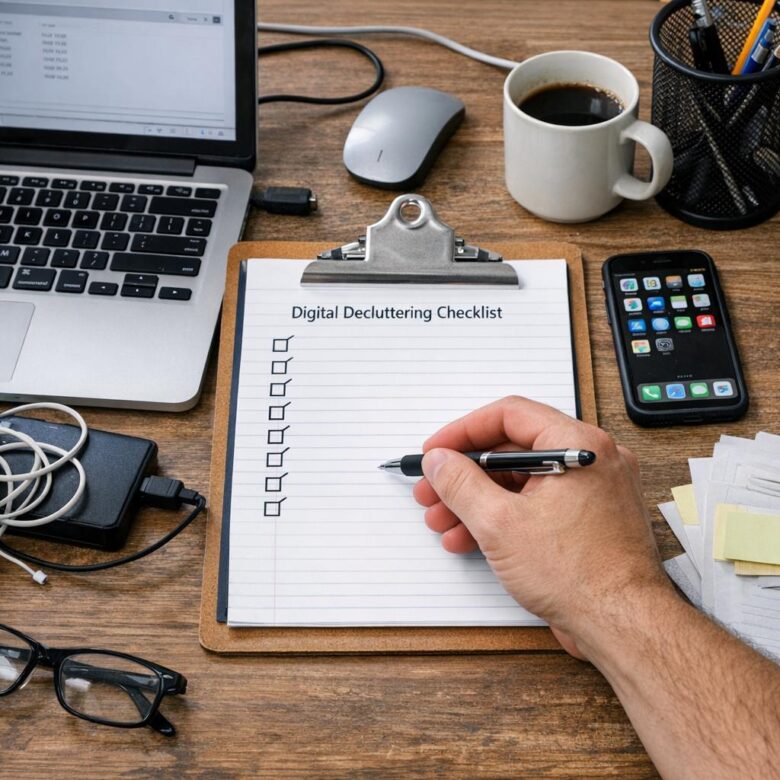
Is your digital life quietly wasting hours of your week?
Between overflowing inboxes, duplicate files, unused apps, and chaotic downloads folders, digital clutter makes it harder to focus, find what you need, and protect important information.
This digital decluttering checklist gives you a practical way to clean up your files, apps, emails, devices, and cloud storage without turning it into a massive weekend project.
Use it to create a faster, calmer, more organized digital workspace-one that supports your work instead of constantly interrupting it.
What Digital Decluttering Means and Why Your Files, Apps, and Inbox Get Out of Control
Digital decluttering means removing, organizing, and securing the digital items you no longer need, including files, apps, browser tabs, downloads, email subscriptions, screenshots, cloud storage folders, and old backups. It is not just about making your laptop look tidy; it affects device storage, productivity, data security, and even the cost of paid services like cloud storage plans or email hosting.
Most digital clutter builds up quietly because modern tools make saving effortless but reviewing difficult. A common example is a work laptop where every invoice, client file, Zoom recording, and “final-final” document lands in Downloads, while the same files also sit in Google Drive, Gmail attachments, and a backup folder.
The problem usually comes from a few habits:
- Saving files without a clear folder system or naming convention.
- Installing apps for one-time tasks and never removing them.
- Using the inbox as a storage system instead of an action list.
Over time, this creates real friction. You waste minutes searching for documents, pay for extra iCloud or Google One storage, miss important emails, and increase cybersecurity risks by keeping outdated apps or sensitive files longer than necessary.
A practical way to think about digital decluttering is risk plus usefulness. Keep what you use, archive what you may need for tax, legal, or business reasons, and delete what adds no value. This mindset works whether you manage a personal phone, a small business email account, or a remote work setup with multiple cloud storage tools.
Step-by-Step Digital Decluttering Checklist for Organizing Files, Apps, and Emails
Start with a quick backup before deleting anything. Use cloud storage or backup software like Google Drive, Dropbox, iCloud, or OneDrive so important tax documents, client files, photos, and insurance records are protected if your laptop or phone fails.
- Files: Create 5-7 main folders, such as Finance, Work, Personal, Photos, Legal, and Archive. Rename files with dates and clear labels, for example, “2025-01-home-insurance-policy.pdf” instead of “scan003.pdf.”
- Apps: Delete apps you have not used in 60-90 days, especially free trials, duplicate photo editors, unused banking apps, and old productivity tools. Review subscriptions in the App Store or Google Play to cut unnecessary monthly costs.
- Emails: Search for large attachments, unsubscribe from low-value newsletters, and create folders for Bills, Receipts, Travel, Work, and Action Needed. Use filters in Gmail or Outlook to automatically sort bank alerts, invoices, and delivery updates.
One practical habit I recommend is cleaning by “risk first.” Remove outdated apps with account access, delete duplicate files containing personal information, and move sensitive documents into secure cloud storage with two-factor authentication.
For example, if your Downloads folder has resumes, mortgage quotes, medical PDFs, and random screenshots, sort the financial and legal files first, then delete installers and duplicates. This reduces clutter while improving privacy, device performance, and digital security.
Finish by setting a recurring 20-minute monthly reminder. Digital organization works best when it becomes maintenance, not a once-a-year rescue project.
Digital Organization Habits That Prevent Clutter From Coming Back
The best digital decluttering system is the one you can maintain in less than five minutes a day. After organizing your files, apps, and emails, set simple rules for where new items go so your cloud storage, laptop, and phone do not become messy again.
Use a “download control” habit: clean your Downloads folder every Friday and move important files into named folders immediately. For example, if you download invoices, insurance documents, or tax forms, save them to a folder like “Finance & Taxes > 2026” instead of leaving them mixed with screenshots and random PDFs.
- Create one main folder system for work, personal files, photos, and financial documents.
- Use clear file names such as “Car-Insurance-Policy-2026.pdf” instead of “scan004.pdf”.
- Unsubscribe from low-value emails when you delete them, not “later”.
Cloud storage tools like Google Drive, Dropbox, and Microsoft OneDrive are useful, but they can get expensive if you keep paying for extra storage instead of removing duplicates and outdated files. A practical habit is to review large files monthly, especially videos, app backups, and shared folders you no longer need.
For email, use filters and labels for receipts, banking alerts, subscriptions, and client messages. In real work setups, I’ve seen inboxes stay manageable when people use only a few labels and archive completed conversations instead of creating dozens of folders they never check.
Finally, schedule a 15-minute digital maintenance block once a week. Treat it like basic device care: delete unused apps, clear desktop clutter, review cloud sync errors, and back up important documents before something goes wrong.
Expert Verdict on Digital Decluttering Checklist: How to Organize Files, Apps, and Emails
Digital decluttering works best when it becomes a simple decision system, not a one-time cleanup. Keep what supports your work, memories, security, or daily routines-and remove what creates friction, distraction, or risk.
- If you use it regularly: organize it where you can find it fast.
- If it matters long-term: back it up and label it clearly.
- If it is outdated, duplicated, or unnecessary: delete, archive, or unsubscribe.
The goal is not a perfect digital space; it is a cleaner one that helps you make decisions faster and stay focused with less effort.

Dr. Adrian Whitmore is an AI productivity specialist focused on helping professionals use artificial intelligence to work faster, organize tasks, and improve digital workflows. Through Asahi AI Works, he shares practical insights on AI tools, automation, smarter planning, and modern productivity strategies.